The recipe
#FF00FFThe exact RGB numbers stored in the swatch library and in your exported file. This is what the controller reads. On a normal screen many recipes look wrong. That is expected.
Put this in your artwork.

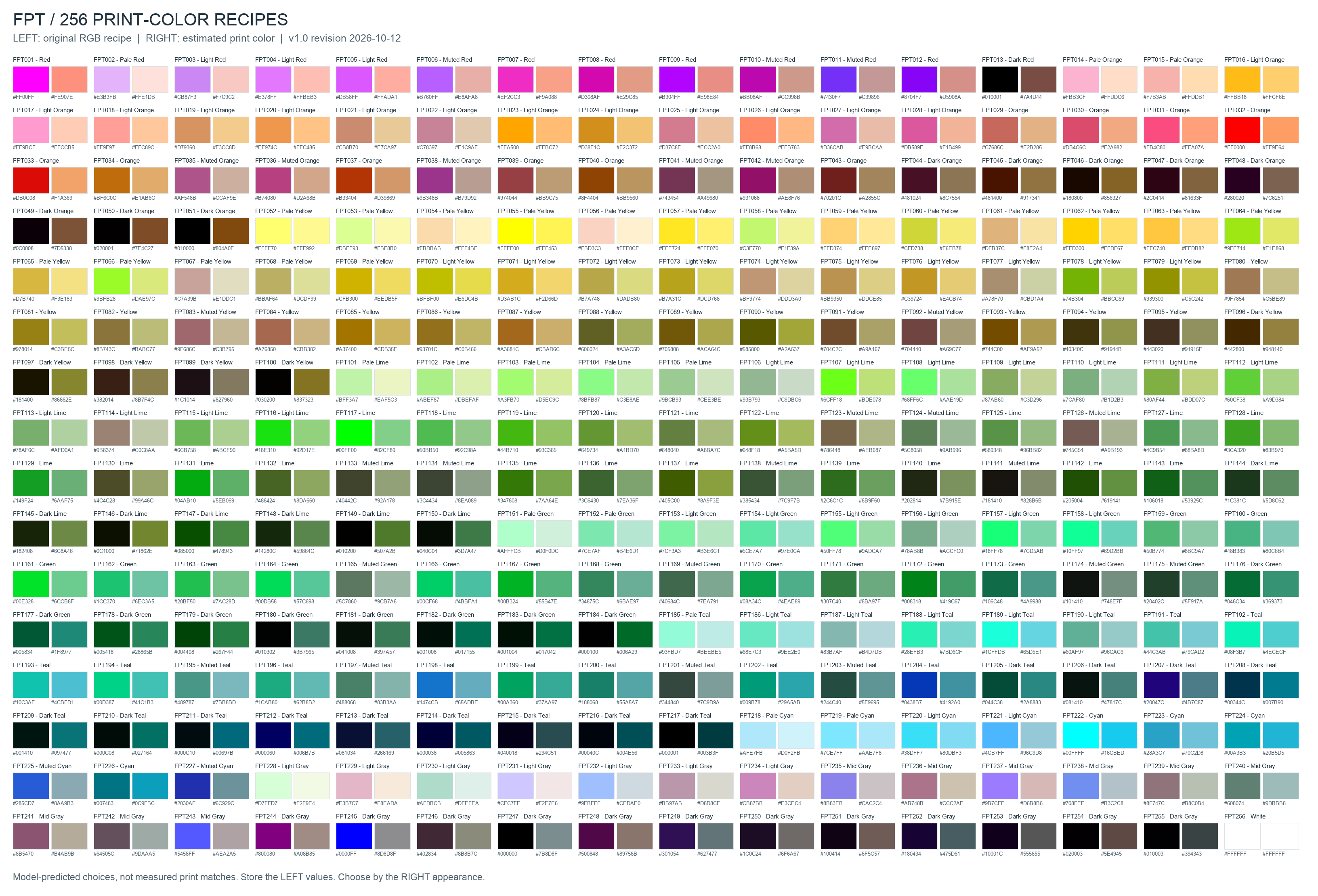
256 numbered colors for the FLEXPRINT Red-40 ink set. Each one pairs the RGB recipe in your file with an estimate of how it lands on a clean white surface.
Choose by the estimate. Build with the recipe.
FPT001 top left to FPT256 bottom right
FPT001 is magenta in your file #FF00FF and prints as warm coral #FE907E.

Your screen shows RGB as RGB. The printer lays down Red-40 inks. The kit shows how one becomes the other, so the surprise happens here instead of on the product.
The exact RGB numbers stored in the swatch library and in your exported file. This is what the controller reads. On a normal screen many recipes look wrong. That is expected.
Put this in your artwork.
How the v1.0 model predicts that recipe will look once printed. Use it to choose colors, judge contrast and set expectations with your client.
Look at this. Never paste it into production art.
The one rule: choose by estimate, ship the recipe. Swatch names describe the estimate, so “FPT001 – Red” is red on the product even though it is magenta in your file.
Every estimate, grouped by the family in its name. Warm and green tones are rich. Blue, violet and pink never appear.
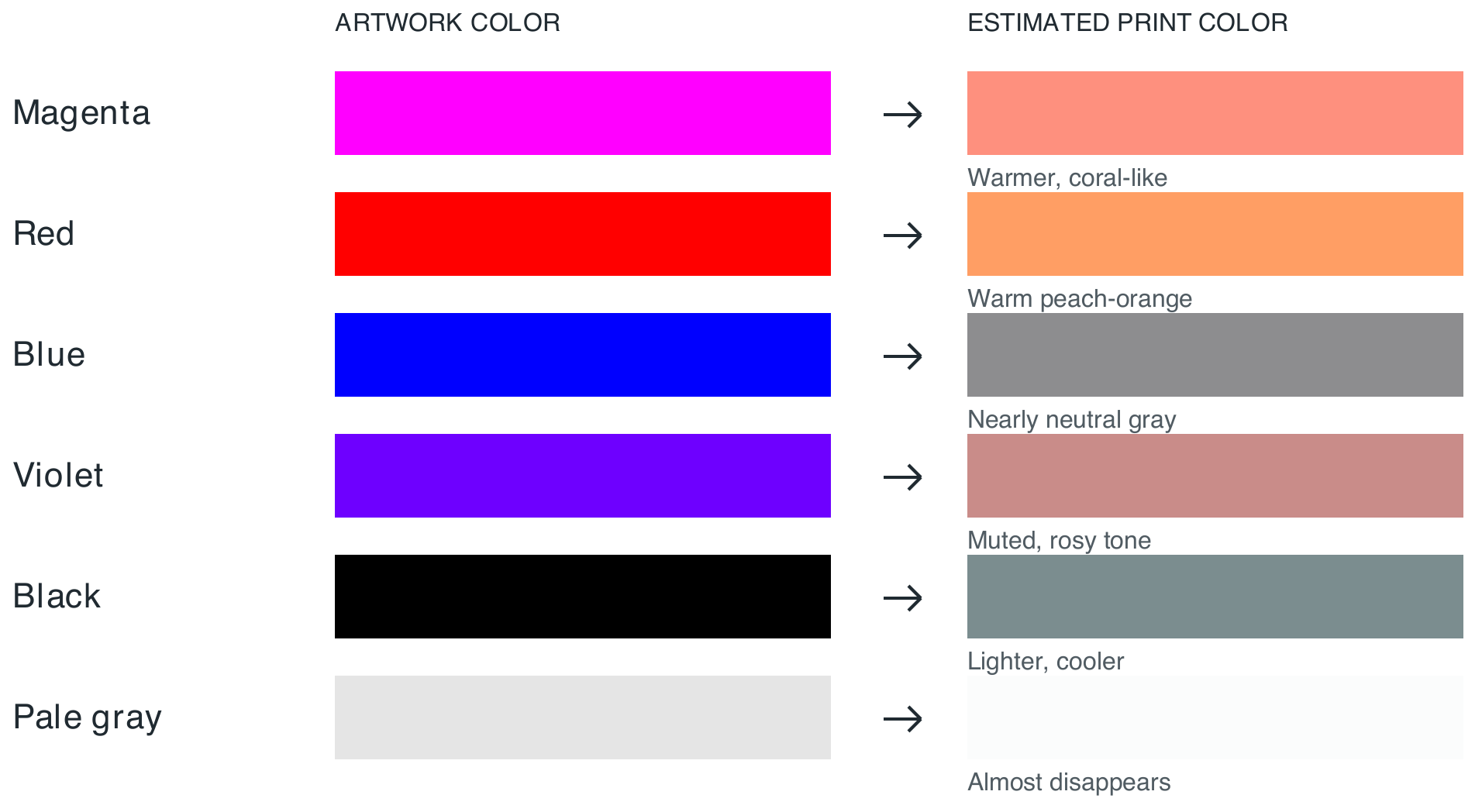
Pure #0000FF (FPT245) estimates as a neutral gray. Violets land as dusty reds. Agree on an alternative before a blue brand color reaches the printer.
FPT247 is pure black in your file and estimates as a mid gray. For your darkest tone use FPT217 #003B3F or FPT255 #394343.
Only 35 estimates reach 4.5:1 contrast on white. Filter for them in the palette before you set small type.
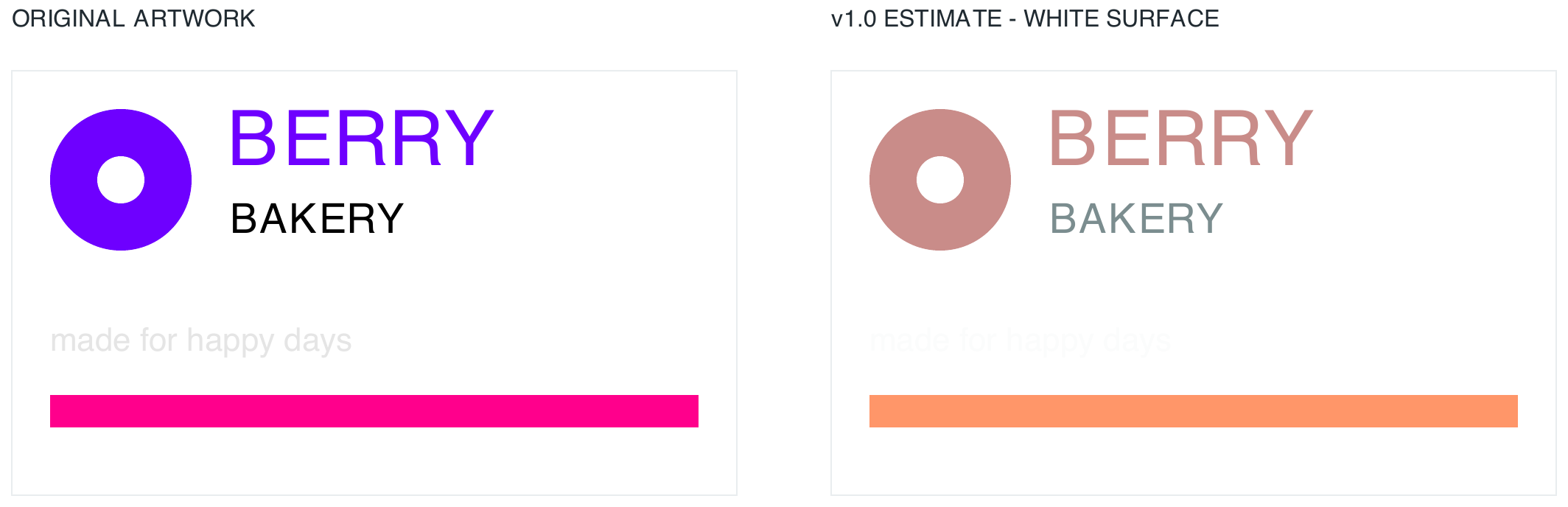
Berry Bakery’s violet mark is a classic surprise: the recipe lands as dusty coral. The cyan stripe barely moves. Catch it here, not at the bakery.
Pale tints and near-neighbor shades can merge. Separate light and dark clearly, and judge it on the estimates.
Review logos, hairlines and small lettering at the size they will print. In photos, check faces, shadows and pale highlights.
Nothing prints white. Unprinted areas show the product’s own surface, and its tint shifts every color laid over it.
When a brand color sits outside the set, agree on the nearest FPT number or a simpler treatment before production.
Install a view-only ICC profile, point Proof Setup at it with Preserve Numbers on, and flip Proof Colors whenever you want a reality check. Your document and exports stay exactly as they are.
What file will you send to the controller?
ICC RGB proof profileFor PNG / JPEG · 1.7 MB ICC CMYK TIFF proof profileFor CMYK32 TIFF · 17 MBViewing filter only. Never assign, convert or export artwork to a proof profile.
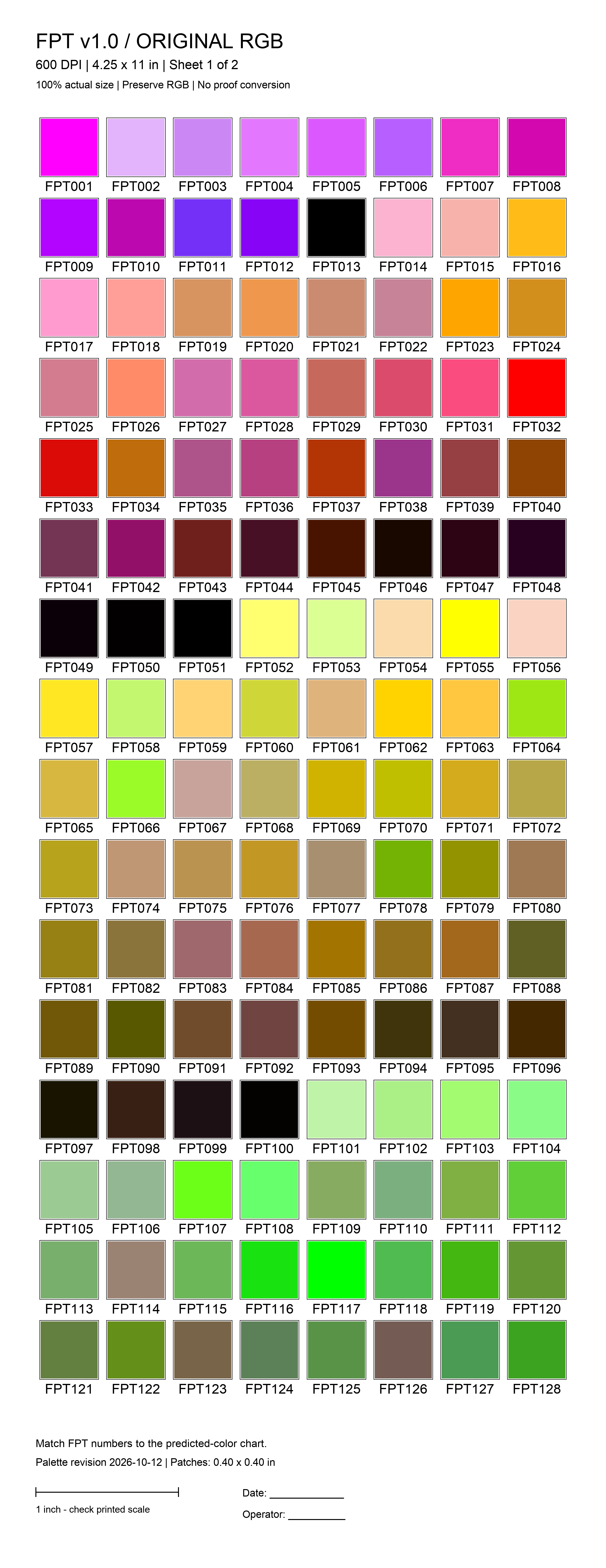
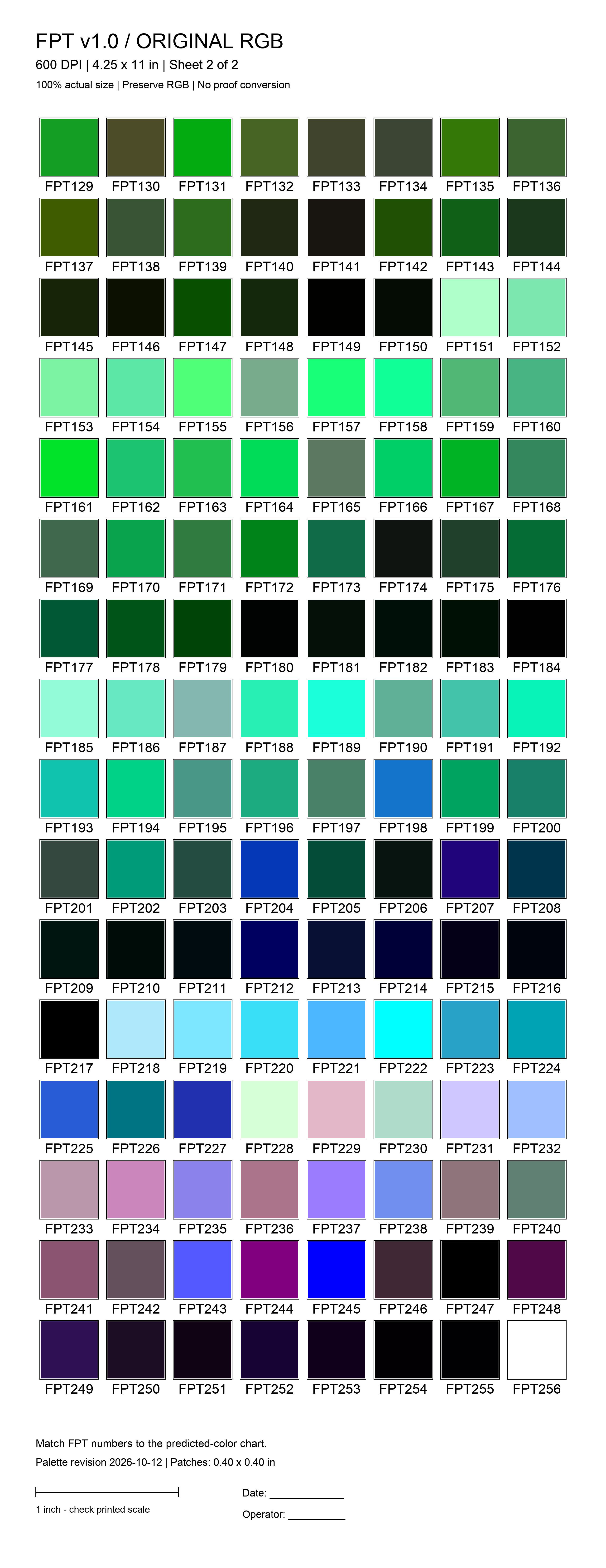
Two target sheets carry all 256 recipes, unconverted. Print them on your FLEXPRINT and compare each patch to its estimate. That is the ground truth for your printer, your ink and your food.
Sixteen files, released October 12, 2026. No sign-in required. Grouped by the job you are doing.
Estimates are a design aid, not a guarantee. Approve color-critical work with a physical sample on the intended food.
Send us the HEX values and your artwork. We will tell you what Red-40 can reach, and print a sample on your product before you commit.